Articles by "Technology"

Showing posts with label Technology. Show all posts

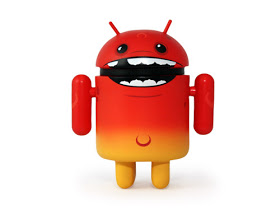
Another Malware has been discovered in Google Playstore despite the facts that it is the most secured store to download apps for Androids.

I don’t know how this malware nicodemously creep in to Google Playstore but it has infected more than 40 applications on Google playstore and more than 400 applications on unofficial app store. It is called DressCode.
What this specific type of malware does is, it creates a so-called botnet. The attackers are able to use infected devices to route traffic through them. In the case of DressCode, Check Point says, the hackers only used it to generate false ad clicks and traffic, thus collecting ad revenue. However, a botnet can be used for much more serious attacks, such as gaining access to company servers and files.

Even though the malware is used to route traffic for invalid clicks of ad revenue, you still have the responsibility of making sure such kind of malware doesn’t run in the background of your device, otherwise it will affect your device performance.

Always make sure that your Android device have the latest security patch installed and always be careful of what you download in apps store.

I think the strict privacy policy we have always known WhatsApp for is about to be compromised with this new development.

About two years ago when Facebook acquired WhatsApp for $19 billion dollars, WhatsApp CEO, Jan Koum while talking about privacy policy and handling precious user data stated that  nothing would change in that aspect.
According to him, he said there would not have been any partnership between WhatsApp and Facebook if they had to compromise on the core principles that will always define their company, their vision and their product”

But I think they are going back on their words on the privacy policy as WhatsApp announced yesterday that it would start sharing user data most especially phone number with Facebook. According to Facebook, the new policy will help “improve our Facebook ads and products experience" which will also give business a new avenue to reach potential customers.

WhatsApp’s updated policy means that the company will also provide users’ device information, including type of operating system and other smartphone characteristics. Facebook will employ the phone number only internally to identify WhatsApp users better, so it can help advertisers with their target groups.

The ads would come through a special Facebook program called “Custom Audiences,” which lets a company upload consumer data on Facebook. Facebook then matches the list with its list of customers and shows them tailored ads. User data is not given out to advertisers.

The good thing is that you have the ability to stop WhatsApp from handing out your information to Facebook, so if you happened to have unknowingly agreed to the new WhatsApp's terms of service, then its not too late to opt out.

How To Stop WhatsApp From Sharing Your Information.

==> Launch your WhatsApp and head over to your WhatsApp settings.
==> Click on account.
==> Uncheck the "share my account info" box.
==> You will be asked for confirmation, just click on "don't share".

=> That's all.

Now your privacy has Just been successfully restored and you are save once again.

When you hear the word YouTube, the first thing that comes to your mind is video.
What we know YouTube to be is a platform where we upload videos, watch videos, comment, like, dislike and just any other thing that has to do With videos. But that might probably be changing soon as Google is planning to make YouTube more than just an online video platform that we have always known it to be.


While the videos are shared YouTube, most of the conversation happens on social media platforms likeFacebook, Instagram, Twitter among others. According to Information from Venturebeat, the internet giant ,Google is planning to transform YouTube from just an online video sharing platform to a simple social networking website. 
The feature which is going to be called "Backstage" will allow YouTube users to share photos, surveys, links, text messages and videos with subscribers.
This new feature which is expected to be launched at the end of this year is going to be available for desktop websites and also application for mobile devices.  According to Venturebeat,  this new service will first be made available to the most influential and popular YouTube users, then progressively it will be released to the general public.
For now we will say this is a rumour since it hasn't been made official yet. But if Google happens to push forward with this new project then it's definitely going to change the face of YouTube and the social media as a whole.


The Android platform is currently the most popular OS in the world today, over half of all smartphone runs on the Android OS. 

It is so popular that if your tablet or smartphone isn't running on iOS then it's mostly likely running on Android. Android is an open source operating system which means any phone manufacturer can easily modify it the way they want and it also allows any developer to release their own app. Why this might sound like a good thing you might also want to consider some of the disadvantages as it leaves the OS exposed to harms like malware's.
Aside the OS being open to third party developers, the popularity of the Android OS is also another reason why most cyber criminals focus more attention on it compared to other OS. Malware attack can be so bad that when an Android phone is infected cyber criminals can easily intercept messages, monitor phone calls, steal personal information. It even go as far as constantly intercepting with the regular phone activities thereby leading to excessive data usage, phone lagging, overheating, battery Draining and with time it can even render the phone almost useless.
This is where the whole problem starts from. Downloading apps from untrusted sources can pose a big threat to your device. It's always advisable to download your apps from trusted stores like Samsung, G store, Amazon and most advisably play store, as this stores regularly perform security checks on their apps. And even though sometimes malware can still find their way in, Google play store for instance still has the ability to uninstall an app from your phone when it suspects any harm.

Although viruses doesn't exist on the Android platform, but malware does. And that is one thing that makes the Android OS a bit more secured. While virus can easily attack without the owners consent, malware need a the owners approval before it can gain access into your device. So what this means is that with the right knowledge, malware can be prevented from attacking your Android smartphone.

Am going to list a few Tips to help safeguard your Android smartphone from potential threats and I will also try to do that in details.

Ways To Protect Your Android Device Against Malware
=> 1. Download Your Apps From Reliable Source..Google Play store 
This is where the whole problem starts from. Downloading apps from untrusted sources can pose a big threat to your device. It's always advisable to download your apps from trusted stores like Samsung, G store, Amazon and most advisably play store, as this stores regularly perform security checks on their apps. And even though sometimes malware can still find their way in, Google play store for instance still has the ability to uninstall an app from your phone when it suspects any harm.

==> 2. Always Read And Understand App Permissions
This is also one other thing a lot of Android users do neglect. Whenever you are Installing an app from play store or even side loading it through a third party source, a list of Permissions that the app is requesting for will always be displayed before you click on the install button. It's always advisable to go through the whole Permission list before you click on agree and if you notice anything suspicious it's advisable you ignore the app or seek for more info online. 

For instance I don't see any reason why a calculator app will need your location or a wallpaper app will ask for permission to view your contact or messages. 
Google has even made it more easier on devices running on Android version 5.1 and above as you can easily edit app Permissions by enabling it under your security settings. This allows you individually personalise how certain apps are granted certain Permissions.

> 3. Always Disable Installation From Unknown Sources
Just like I said earlier, before malware can gain access into any Android device, it needs the approval of the user. It always advisable to turn off "installation from unknown sources" under security settings on your phone

Once that is disabled, no third party app can be installed on your Android device unless you enable it.

==> 4. Enable Google App Verification
This is an extra measure introduced by Google since Android version 2.2 to help verify apps before they are been installed on your device. Although this is usually enabled by default but most times some people tend to disable it. When enabled, Google will always scan all installation from third party and warn you of any potential threat when found.
In case this is disabled on your phone, just open Google settings app from your app drawer and enable it under security settings.

==> 5. Always install anti malware apps
While those tips above might go a long way in helping you safeguard your device, they might still not be enough to protect your smartphone from malicious apps. Many trusted names like Avast, AVG, BitDefender, Kaspersky, Sophos, Norton and a few others have really been around for sometime now. They have different security teams that are always research round the clock just to make sure your device is as safe and secured as possible. 
It's advisable to always have at least one of this on your Android device for added security. Most of this apps even offer more services like anti theft protection, device tracking, remote wiping among others.


Bonus: while all those points mentioned above might be very effective, the most effective of them all is your common sense. Try as much as possible to stay away from pirated apps and anytime you notice any suspicious activity on any of your installed apps the first thing you should always do is to completely uninstall it before seeking for help.

Most times reading other people's comments before you download or install any app can also go a long way in protecting you again unknown dangers.

I might have omitted a few points up there but am pretty sure if you follow those guide lines mentioned above then your device will be free from any form of malicious application.

I will publish a post a post very soon where I will I list a few signs to know if your Android device is infected by malware or not. And maybe after that, I might write another article on steps to take if your device is already infected.

If you have any question, feel free to ask and don't forget to share this post on all your social media platforms

To Transfer to GTBank Account
Simply dial *737*1*Amount*NUBAN Account No# e.g. *737*1*1000*1234567890# from the mobile number registered with the Bank. (This is accessible using all types of mobile devices).
Then use the last four digits of your GTBank Naira MasterCard to authenticate each transaction.
To Transfer to Other Banks
  • Simply dial *737*2*Amount*NUBAN Account No# e.g. *737*2*1000*1234567890# from your mobile phone. (This is accessible using all types pf mobile devices).
  • Then use the last four digits of your GTBank Naira MasterCard to authenticate each transaction.


Facebook has become one of the effective social means by which blogger drives traffic to their site. They create Facebook groups, add thousands of members, then auto post to the Facebook groups from their blogs.

Auto Posting to Facebook group will save your valuable time so you can concentrate on other things after publishing new posts on your blog. Besides this, it keeps your Facebook group up to date with updates from your blogs and in return, you get traffic to the blogs.

If you're an admin to a Facebook group, you can connect your blog and start posting to it automatically by making use of dlvr.it


How To Get Started

>> Sign up and Sign in to http://www.dlvr.it
>> On the "Automate" tab, click on "Add Route"


>> Enter your blog URL or Feed URL in the box and click "Find Feeds" button.
>> Once a feed is detected, click on the "+" icon, then click "Continue"
>> Next is to add the Social network you want to be posting to. Click "Add", select "Facebook"
>> Follow the steps till you connect to your Facebook group. Configure other settings as desired.

That's all.

When next you publish a new post on your blog, it will be automatically posted to your Facebook Group.


You've Failed The City! You’ve all failed the battery university community… You’ve been charging your phone battery wrongly. You’ve tactically shown no respect at all to your smartphones battery. Hence, the resultant effect of breaking the battery rules.


You’ve been abusing your battery for a very long time, and now the battery community head have decided to voice out.

ule No 1: Never Charge your battery overnight: It’s unwise to keep any phone battery plugged in all night. Long charges always put the battery into a high-stress state and contribute to it becoming worn down in the long run. Any attempt to break this rule will kill your battery life.

Rule No 2: Never Charge your battery up to 100%
Stop charging your batteries from 0 to 100 percent in one sitting. This isn't as efficient as you may think. Instead, keep your battery life somewhere between 40 percent and 80 percent. This ensures you'll have enough juice when you need it, but keeps from overheating which can result in a shorter lifespan.

Rule No 3: Charge in short bursts
According to battery university, Don’t let your smartphone battery run all the way down to 1%before you boost it’s charge all the way back up to 100%. Charging any lithium phone battery for a long time can wear it out, meaning you’re best off plugging it in for a few short bursts rather than a long stint.

Rule No 4: Never break rule no 1 & 2
If you break rule no 1 and 2, then your battery is closer to a dead end… an example of a dead end battery is the unconditional swelling of phone battery like a forgotten wedding balloon.

If you break the rule, then get ready to face the consequences.


While companies in the past have opted for different software-based encryption such as fingerprint scanner, eye scanner, Gionee has embedded inside the device, with a hardware encrypted chip. The encryption is equivalent to a black box, and the process won’t be hijacked.

The encryption chip is claimed to provide users with double protection for their data. Which means the protected data can neither be seen whenever a user decides to hide it nor the Android system gets hacked.


The chip is also claimed by the company to protect the data stored inside the phone with encryption, which includes call records,photos, documents, notes and other information. Gionee also claims the data will be securely protected in a way that no other phone can currently match.

According to Gionee,
“Despite its efficacy, Apple’s Touch ID is still lacking when it comes to what is stored on the smartphone – as soon as someone manages to pass through the lock screen, information can be freely viewed,”

We will have to wait and watch if Gionee M6 and M6+ is as fully-secure as it claims to be as These devices could be a serious competitor to dedicated security devices such as the Blackphone and Turing Phone

Device Specification


Forthcoming Gionee M6 smartphone Highlights a 2.5D glass 5.5-inch AMOLED Full HD 1920×1080 pixels resolution Display, while the M6+ will spot a Huge 6.5 and a 7-Inch display.

Both devices are controlled by a Snapdragon 652 processor which is paired with 4GB of RAM in the smartphone with a 32GB of internal storage memory that can be expandable storage by Micro SD card.

The Gionee M6 Device features a 13-Megapixel primary camera with a LED flashLight and 8-Megapixel secondary front-facing camera with built-in class cleans for greater selfies and Video Calling.

Both variants come with Dual-SIM and runs on the Android 6.0 Marshmallow Operating system with the Gionee's custom OS, The Amigo UI.

In terms of connectivity, These Smartphones Feature 4G-LTE, 2G/3G, and Bluetooth 4.1, GPS + GLONASS, and Wi-Fi 802.11, Wifi HotSpot, and FM Radio, 3.5mm audio jack, and Micro-USB port.

In addition to the security options indicated above, There is also a fingerprint scanner which is combined into the Home


baseline;">Buttonthat is located on the head side of the smartphone.

It is Prepared with a large 5000mAh battery capacity and No terms about M6 plus smartphone have been posted.

In terms of price, the price has not been released yet.. But because of the security feature, we expect it to be on the high side. Though not as high as other devices with similar security features like the Turing phone and Blackphone, Blackphone 2.


Having fast internet connection is very sweet more especially for those that love to download, also having poor or slow internet connection can be very frustrating and such is applicable to the network we have in Nigeria. There are some countries that boost a very high speed Internet up to 29mbs even without a 4G LTE Network, while some countries can't even boost up to 1mbs internet speed.
The Akamai Technologies, a company related to the Internet and content sharing, it studied the Internet access speeds of each country and created a ranking of the countries with the faster internet access.


Hence, its study found that the average speed of Internet access on the planet is 6.3 Mbps, which is very low compared to the countries at the top of this list.
Best Countries with fastest internet connection
1. South Korea

Access to the fastest Internet in the world is in South Korea, with average speeds of 29 Mbps, the population has very high-speed internet access. The curious thing is that even with more than 80% of households to have access to the Internet, there is some key information that can be accessed, which is practiced by the government.

2. Norway

Norway Internet access is made with the average speeds of 21.3 Mbps. What stands out, even more, this position is the fact that Norway has seen its average grow 68% compared to 2015 and this is the highest value of this study.

3. Sweden

The top of this table is provided by countries that recognize a high technological appetite. Hence, Sweden takes the third position, with average speeds of 20.6 Mbps. This displayed value represents an increase of 32% compared to the 2015 figures.

4. Hong-Kong

Hong Kong was the first country to achieve Internet access peak speeds above 60 Mbps, but, currently, the value is 19


1**EAZILYFPAKAGE... This plan gives you a 100% free bonus on every recharge, and lets you make 11k/sec on every call to all networks. You also make as low as 20k/sec for international calls to countries like, UK (landlines), USA, China and India. Migration to this plan will cost you N5 daily. To migrate, simply dial *420*1# or send 1 to 420 and dial *244*3# to confirm package. To check balance, simply dial *232#.


1**  GLO Infinito – the GLO infinito is known to be the best prepaid plan that charges users the sum of 20k/sec for every call made to any network and 11K/sec for your 10 registered family and friend’s numbers. To opt-in, simply dial *100*9*2#. To register for the family and friend’s number, simply dial *101*1*NUM#.

3** GLO TWIN Bash – I call this a super tariff plan… a plan that is highly recommended for internet user. You get same amount if data plan similar to the amount recharge, with another bonus of same amount for calls. For instance, if you recharge N200, you get 200MB and another bonus N200 airtime. Same goes for N500 recharge and N1000 recharge. You can also use the bonus airtime to call any network

4***GLO Bounce – GLO bounce charges user 15k/sec on every call made to any network and 11k/sec to customers who’s also on GLO bounce. Therefore, GLO is indirectly telling their customers to invite friends and family to GLO bounce, so you get as low as 11k/sec on every call made. A 15MB free data plan is given for every N200+ recharge on airtime. You’ll also be charged N24/min for the first call a day, which after, you can enjoy their cheap call rates to all networks. To opt-in, simply dial *170*4#.

5**GLO Overload – GLO overload is another cheap call tariff plan that gives user 400% bonus on every N200+ recharge on airtime. You also get a free 15MB data for every N200+ recharge valid for just that day. On GLO overload plan, you also get and 1mins awoof bonus for every 3mins call you make. Also know that you’ll be charged N36/min for the first min call that day. To opt-in, simply dial *200# and dial *122*7# to check balance.

1**Airtel smart talk, which charges user 11k/sec for every call made to all network and after the access fee of N5. That is, after your first N5 cost on call, it switches back to their normal charges on call, till you make another 11K/sec the following day. Calls to countries like India, USA, China and Canada can be made for 20k/sec. to migrate to Airtel smart talk plan, simply dial *315#.

1*.MTN True Talk – the MTN true talk plan charges user N20 kobo/secs for MTN to MTN calls and same amount for the first second call t any network. To opt-in for this plan, simply dial *400# or SMS 400 to 131
.
2.*MTN Beta Talk – the MTN beta talk plans gives user 200% bonus on every N100+ airtime recharge, giving you a 3times value in all your recharge. With the bonus plan, recharge or main balance, you’ll be charged 40 kobo/sec for national calls to any network. You can also use the bonus plan to send SMS and also Data while roaming.  This plan also rewards user 10MB for the first N100+ recharge in a week and same for every other weeks. To migrate for this plan, you’ve to be an MTN prepaid customer. Migration fee goes for N100 and you can use *123*2*6# to migrate. Alternatively, you can text BT to 131.

3.*MTN Supersaver – this is more like a business plan, which charges user 15k/sec for the first minute call of the day, and then switches back to the normal 40k/sec to all networks. With supsersaver, you can even make cheap calls home and abroad regarding to their rates. No charges on migration, and to migrate, simply dial *408*1#. Alternatively, you can send 408 to 131.

4. *MTN Smooth Talk Plus – the MTN smooth talk plus is similar to that of supersaver, only that you get extra benefits like, 10MB of data for the first N100 within the week. To migrate to this tariff plan, simply dial *401# or send 401 to 131
.
5.*MTN iPulse Plan – the MTN iPulse plan is the best plan for students, and this plan gives 10MB on the first N100+ recharge every week, free callertunes subscription on the first 30days, 2naira charge on SMS within campus area and normal 4Naira on SMS off campus area, you get free Yello account, free happy hour calls, 11k/secs on calls for some periods and many more. To migrate, simply dial *406# or SMS 406 to 131.

6.* MTN Zone plan – on Mtn Zone plan, you get discount on every call made to any network. Discount rates ranges from 2k/sec to 28k/sec, and this normally happens in the morning or within the day time. Simply dial *135*1# to register and *135# and follow the onscreen menu..

Comments System

Author Name

Contact Form

Name

Email *

Message *

Truze. Powered by Blogger.